


Event check-in softwareCheck attendees in from any device with a camera
Check-in on a desk in the Console or on a phone, a kiosk mode for self check-in, stations across the venue, and an onsite app with the tools staff need on their feet.
The check-in desk is on Business and Enterprise
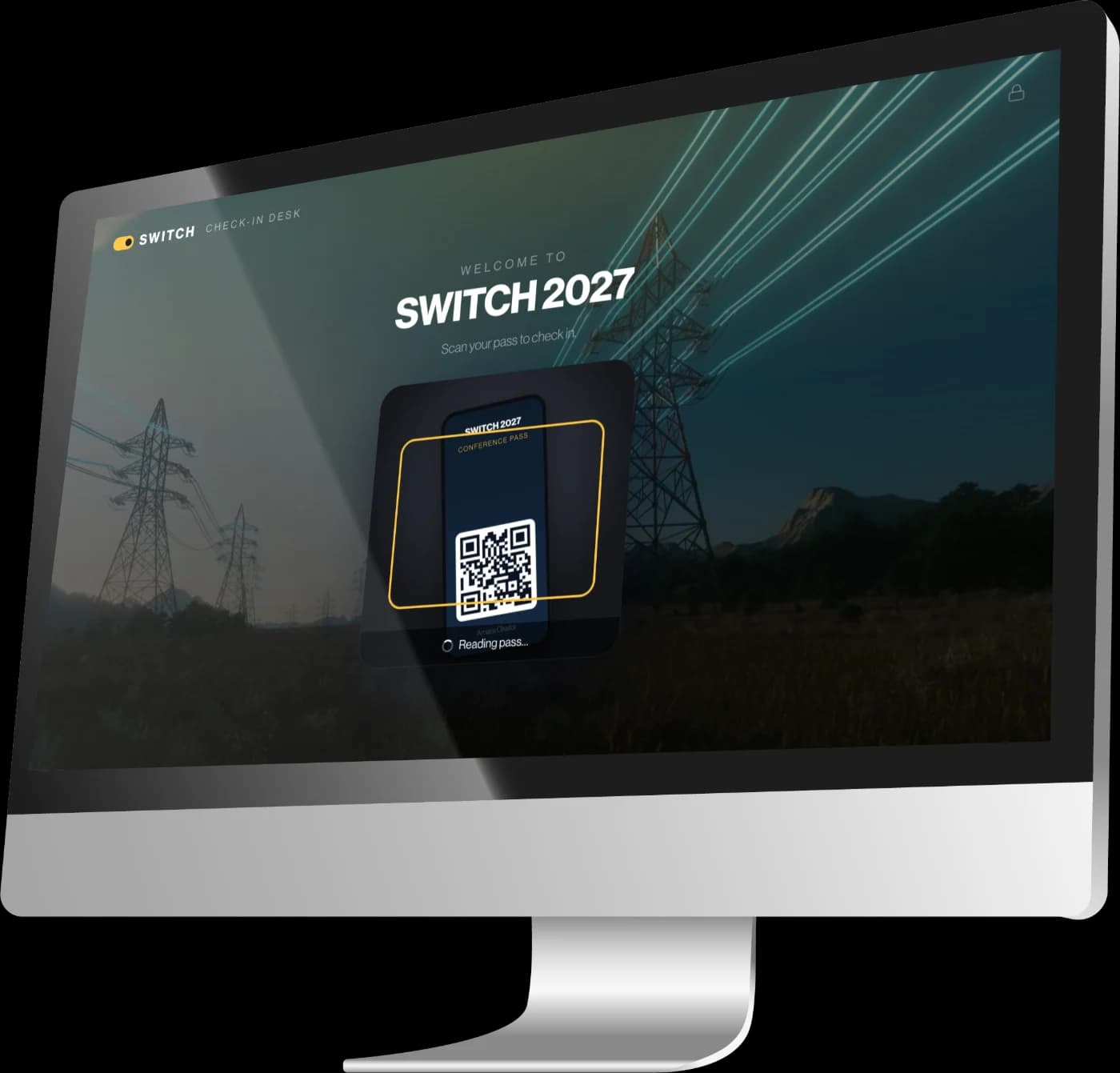
The desk
Scan email, app and wallet tickets at the desk
The check-in desk runs in the Console and in the OnSite app, on any phone, tablet or laptop with a camera. It reads the signed QR codes and PDF417 barcodes on tickets from the email, the event app or Apple and Google Wallet, and older email tickets still decode, so nobody is turned away at eight in the morning over a format.
When a code will not scan, search by name or email and check them in from the list. Name-only companions on a group booking are found by their own name.
Stations and kiosks
Set up scan stations and self check-in kiosks
Register the places you scan, such as entrances, session doors and stands, and set each device to one. Every check-in then records where it happened, each station keeps its own count, and stations pinned on the Event Map show as a heat overlay.
An admin can lock a desk with a four-digit PIN, turning it into a scan-only kiosk where attendees check themselves in. Leaving it needs the PIN.
OnSite
Give staff an app for look-ups, tasks and messages
OnSite is the staff app for phones and tablets. Alongside check-in it has attendee look-up, tasks, team messages, the support inbox, the event's documents, and where each attendee is seated.
It works from the same event as the Console, so a task assigned at a desk reaches a phone on the floor, and a photo filed from a phone lands in the document hub.
Welcome,
Amara Okafor
Checked in
Tap to continue
Live
See who has arrived as it happens
Check-ins feed the event analytics as they happen, alongside registrations, and each one is written to the audit trail with the station it came from. Live Ops shows who is signed in to the event app at this moment and which room they are in, refreshing every 30 seconds.
What is in it
What check-in and OnSite include
- Check-in desk
- In the Console and the OnSite app, on any device with a camera.
- Barcodes
- Signed QR codes and PDF417, including older email tickets.
- Wallet passes
- Apple and Google Wallet passes scan like any other ticket.
- Kiosk mode
- Scan-only self check-in, locked with a PIN.
- Stations
- Entrances, session doors, stands and other scan points.
- Companion check-in
- Name-only guests on a group booking, found by name.
- OnSite app
- Look-ups, tasks, messages, support, documents and seating.
- Live Ops
- Who is signed in to the event app, and in which room.
Works with
The rest of the Event OS, sharing the same data
Questions
Questions about onsite & check-in
- Do we need special scanning hardware?
- No. The check-in desk uses the camera on any phone, tablet or laptop. Handheld USB and Bluetooth barcode scanners are not supported.
- Can attendees check themselves in?
- Yes. An admin can lock a desk into kiosk mode with a four-digit PIN. It then only scans, so attendees check themselves in, and leaving kiosk mode needs the PIN.
- Can we see where people were checked in?
- Yes. Set each device to a station, such as an entrance or a session door, and every check-in records where it happened. Each attendee is checked in once per event, so a station shows where they first arrived.
- Which plans include check-in?
- The check-in desk and stations are on Business and Enterprise. Staff need the check-in permission, which admins and onsite staff have.
Book a demo
See it working on your own event
Bring a real event, room clashes, spreadsheets and all, and we’ll show you how it would run in EventStreams.